Bentomux — beta out now (opens in a new tab)
the window for coding agents
Run every coding agent in one window
Bentomux is one native window for project workspaces, persistent split-pane terminals, live agent state and approval handling instead of a scatter of terminal tabs.
curl -fsSL https://bentomux.takora.dev/install.sh | shBentomux at a glance
screenshot
the window, with a workspace waiting on your approval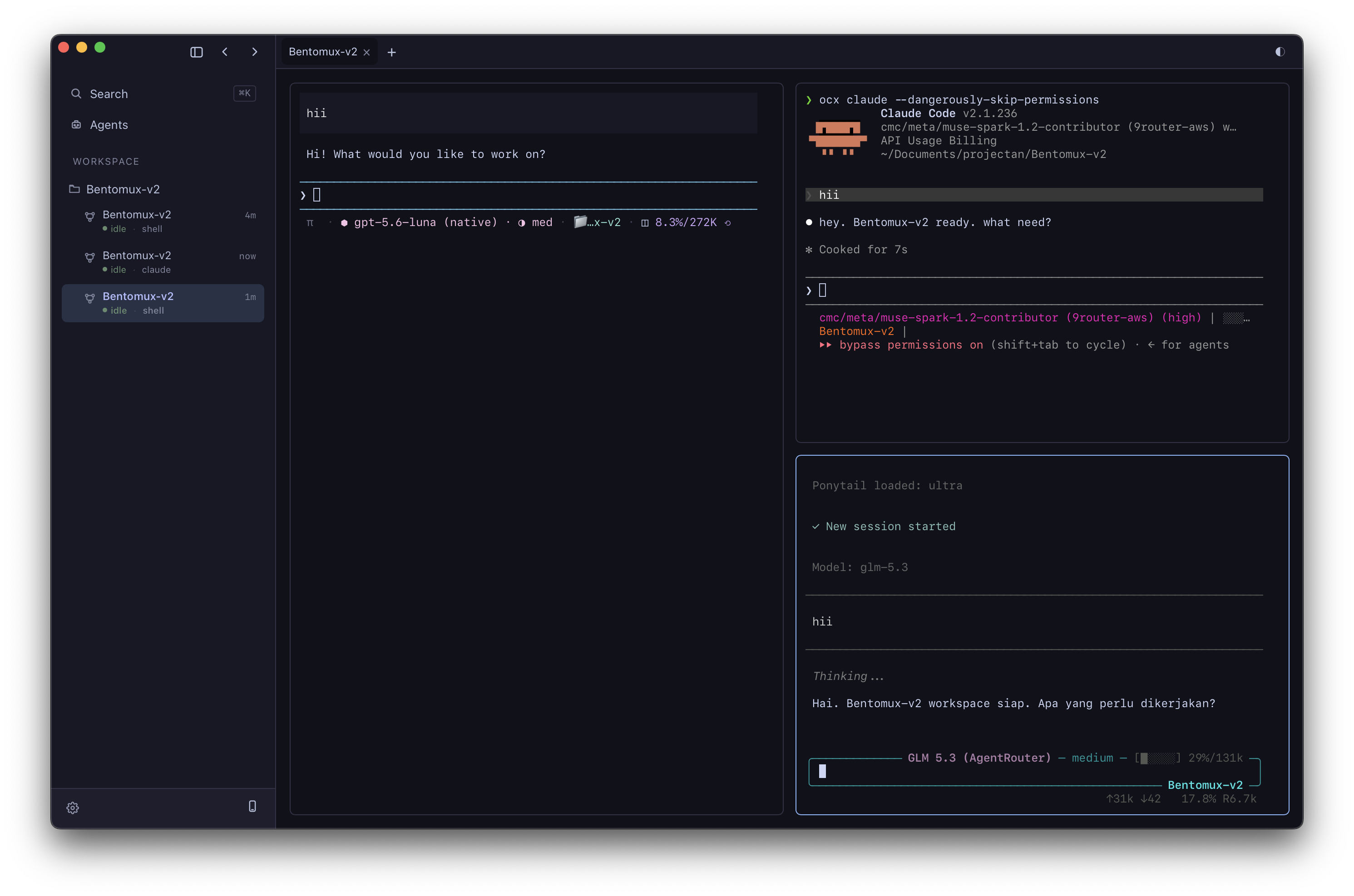
What the window does that a terminal tab does not
01
Open it tomorrow and it is still there.
A workspace keeps its layout, its tabs and its split panes, and every pane holds a real PTY with its scrollback. Quit the app, restart the machine, come back to the same window instead of rebuilding it.
bentomux-v23 panes · scrollback keptwebsite2 panes · split rightscratch1 pane · renamed tab02
You never hunt for the stuck one.
Every tab reports whether its agent is idle, working or blocked, read from the process and the terminal screen. When one is waiting on you the window says so, and the state is a word as well as a colour.
websiteblockedwaiting on approvalbentomux-v2workingclaudescratchidlegemini03
Answer where you are looking.
Permission prompts are caught by the hook bridge and raised in an always-on-top overlay, so an agent asking a question never stalls in a tab you are not reading. Approve, deny, or jump to the tab that asked.
claude-code asks permission
Edit src/components/sections/Hero.tsx
[ Approve ] [ Deny ] [ Jump to tab ]
bridge: unix socket · connected
04
Runs what you already run.
The CLIs on your PATH keep working as they are. Bentomux owns their terminal and derives their state; it does not wrap them, replace them or hold your prompts. 22 are detected out of the box.
- Claude Code
- OpenAI Codex
- Cursor
- Gemini CLI
- Grok CLI
- GitHub Copilot
- OpenCode
- pi
- oh-my-pi
22 detected · 9 also configurable
05
The long run follows you to the phone.
An optional monitor serves the panes and their states over your own network, paired by QR code. Check a run from another room, and answer an approval without walking back to the desk.
http://192.168.1.24:7788
desktoppanes mirroredphonepaired · approvals on
Install
Install Bentomux on your machine
These commands install the latest release. They cover macOS, Linux and Windows, and they are the maintainers' own installer scripts, quoted unchanged.
The installer checks every download against the release manifest and refuses to install anything that does not match.
Prefer to download it yourself? Every build — .dmg, .AppImage, .deb, .msi, -setup.exe — is attached to the latest release.